The new network map, SSH in the browser, traceroute
The rebuilt network map opened to everyone in beta — a year of backend work you can finally see, fast enough that panning around a 5,000-subscriber network feels instant. Alongside it, two tools for working in the field: a real SSH terminal in the browser, and traceroute from anywhere.
New network map (beta, everyone) Beta
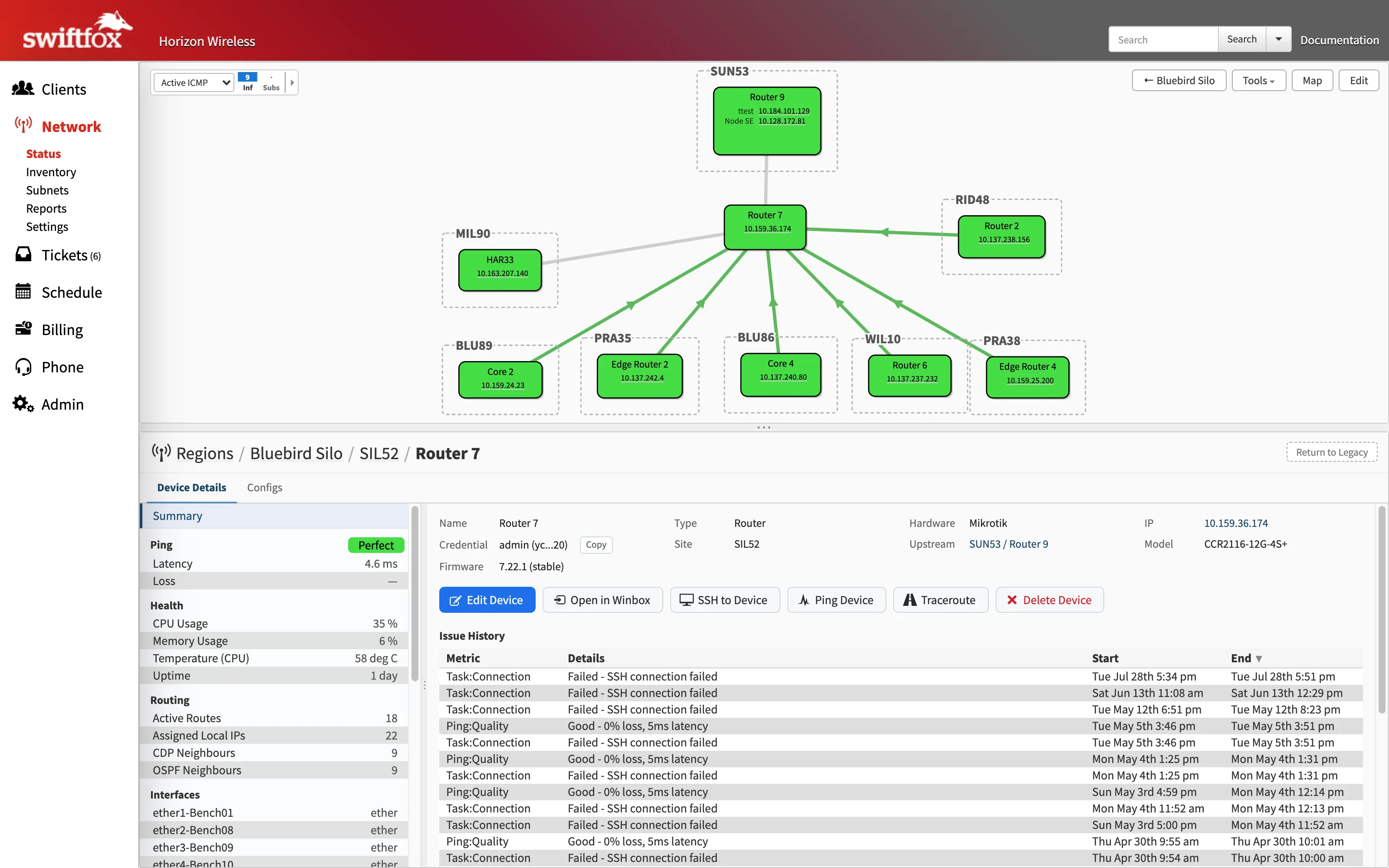
The rebuilt network map opened to all ISPs this month: the same workflows in a much faster interface — edit modals, device detail panes with issue history, region views, PFO status labels, and a colourblind-friendly quality palette. Toggle between it and the classic map per user by going to "Actions - Switch to Netmap Beta".
Everything the new map renders comes from the new metrics pipeline, so quality colouring updates live and drilling into a device is instantaneous.
SSH from the browser New
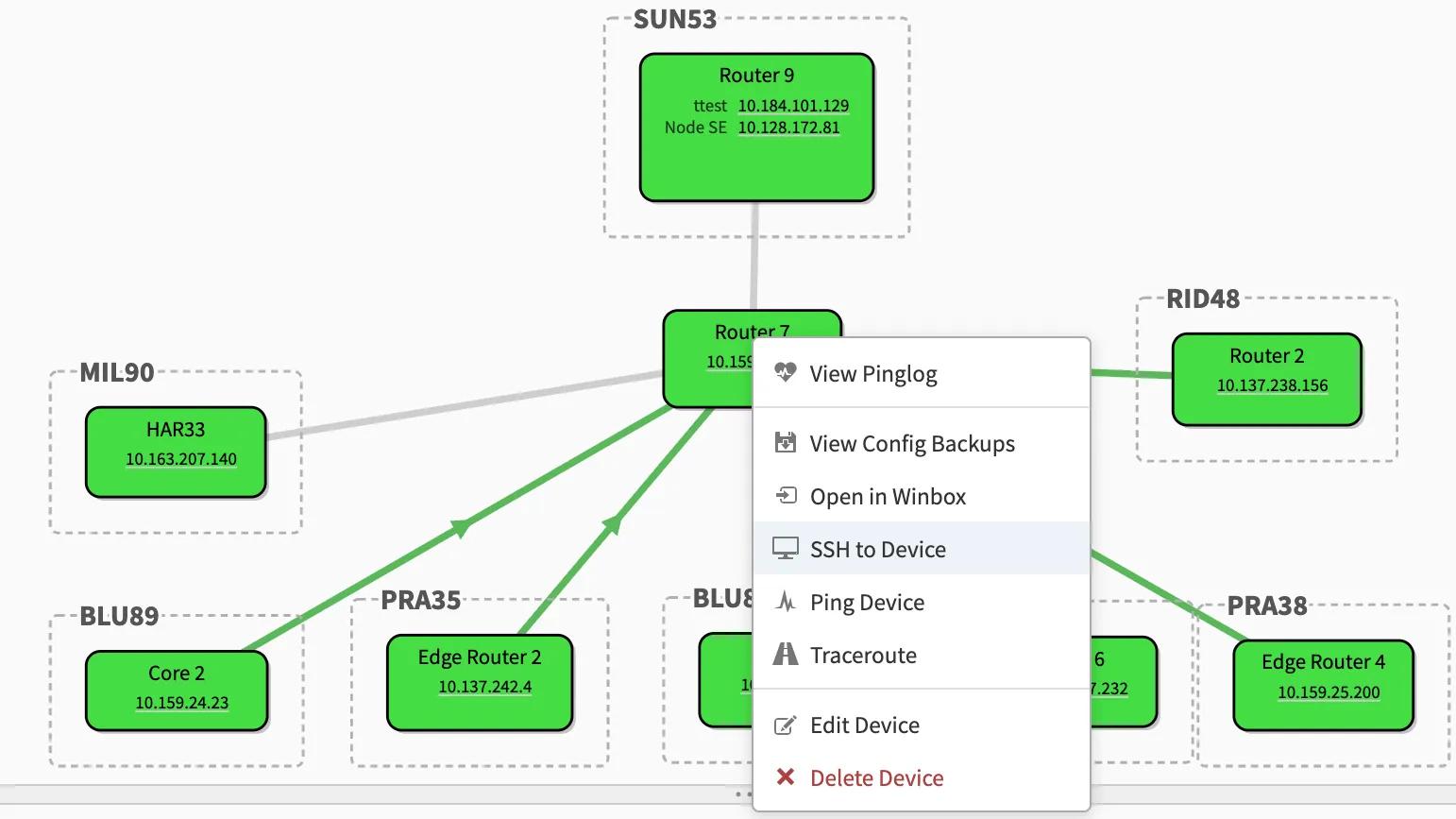
Click a device on the map and open a real SSH terminal to it, right in the browser — no VPN or jump host required. Sessions run through your pingbox, so nothing on your network needs to be exposed.
Mid-outage, on your phone, you can go from "that tower looks wrong" to a shell on the router in a couple of taps. The terminal opens in its own window and works like any other.
Traceroute everywhere New
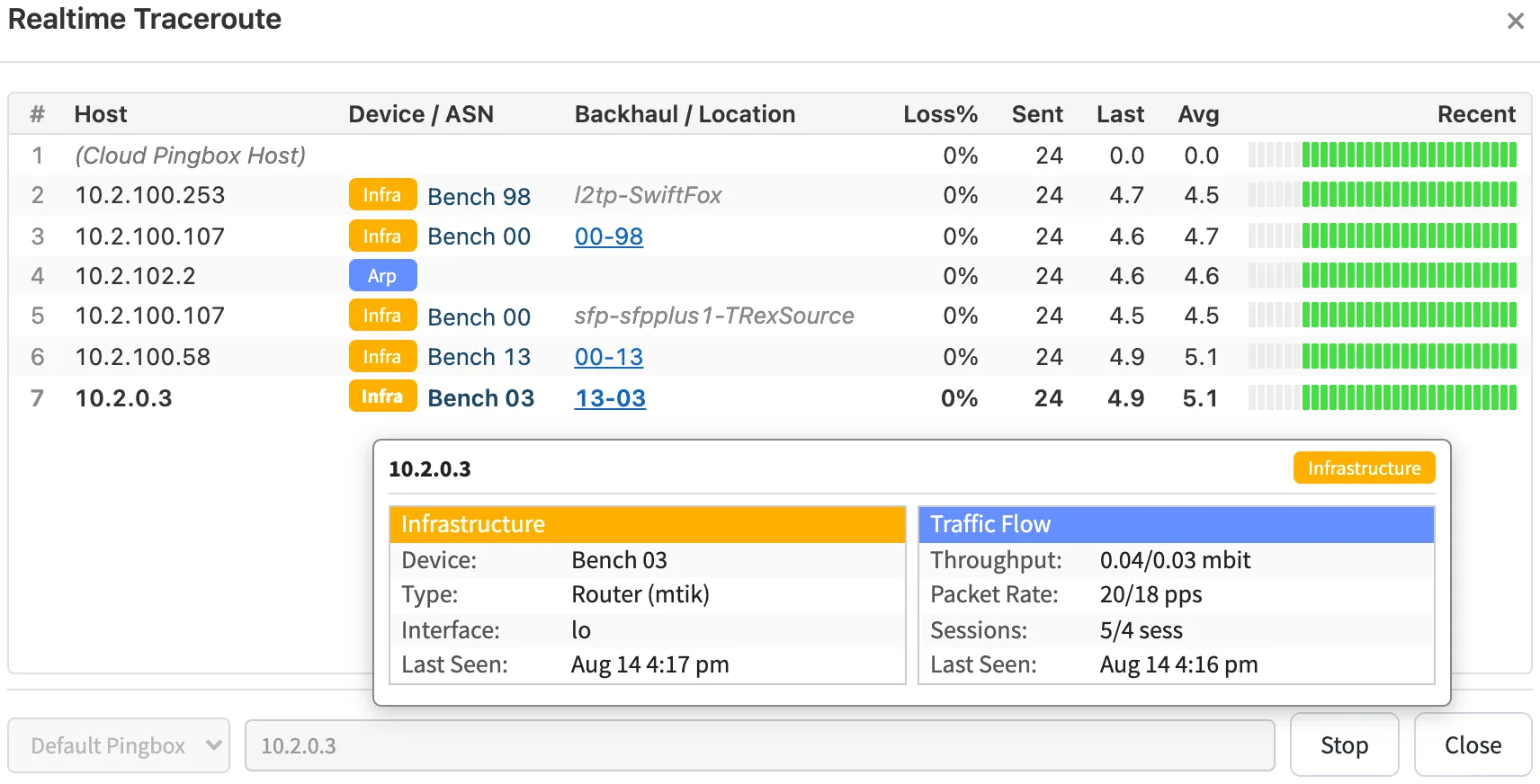
Run traceroutes from the network map, the customer page, or against any arbitrary IP — alongside the ping and SSH tools, on desktop and mobile.
When the hop IPs are devices on your network, Swift Fox shows the device name and backhaul — and when they are public IPs, we'll do an ASN and geolocation lookup so you can more easily troubleshoot peering issues.